Disclosure: This post contains affiliate links. If you make a purchase through one of the links on this page, AI From Japan may earn a small commission at no additional cost to you. I test products hands-on from Kansai wherever I can; for anything I can’t verify myself, I rely on independent tests and real user reports — and I say so in the article. Read our full Affiliate Disclosure for details on every program we participate in.
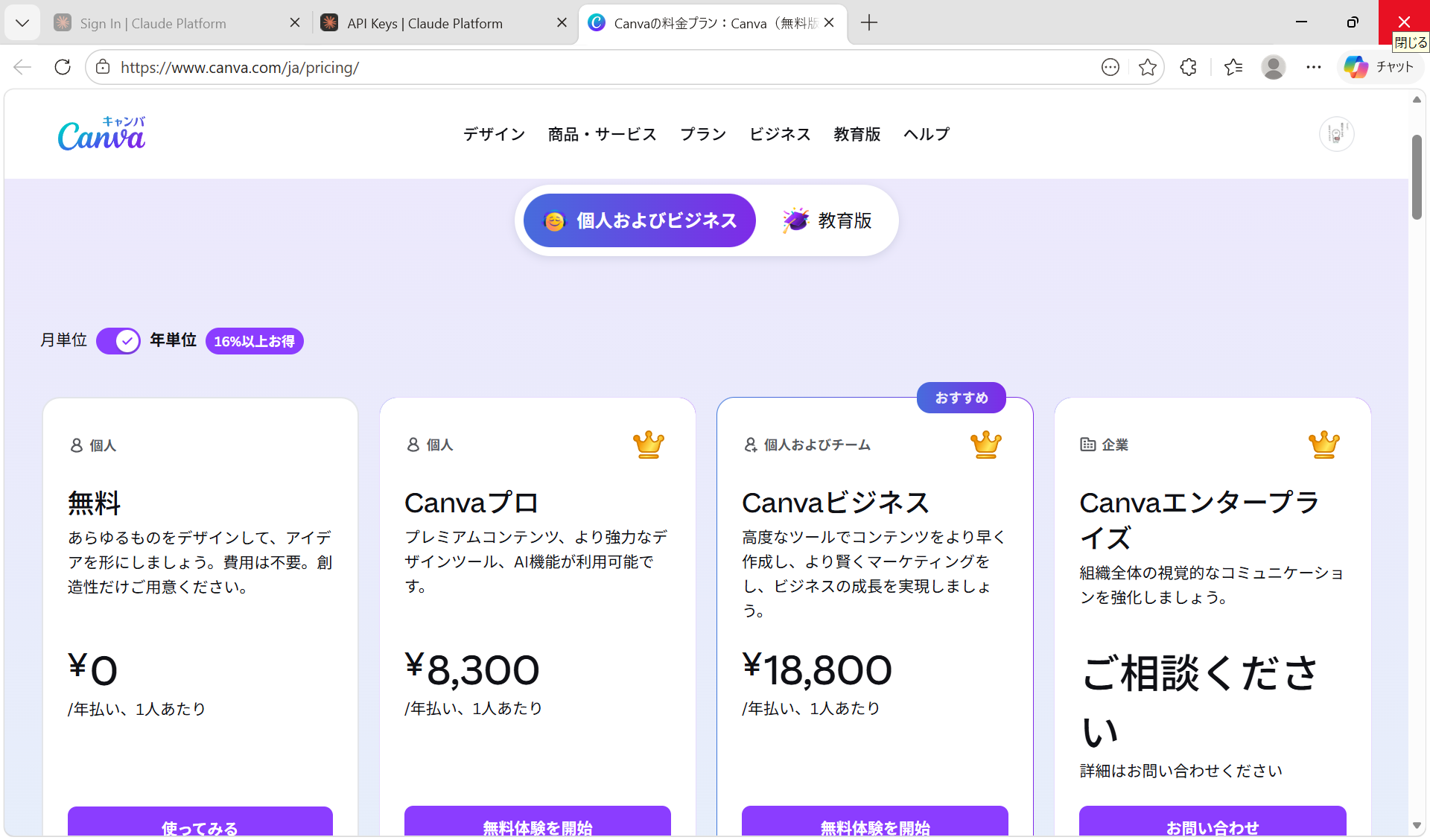
Quick Answer: Yes, Canva is 100% free in Japan. You can create an account from any Japanese IP address, the interface is fully localized in 日本語, and the Free plan includes 250,000+ templates, 1 million+ stock photos, and 5GB of cloud storage — no credit card required. Canva Pro (¥1,180/month or ¥8,300/year) unlocks Magic Studio AI, Background Remover, and premium assets. Start free at Canva Japan (affiliate link).
Is Canva Really Free in Japan? (Short Answer: Yes)
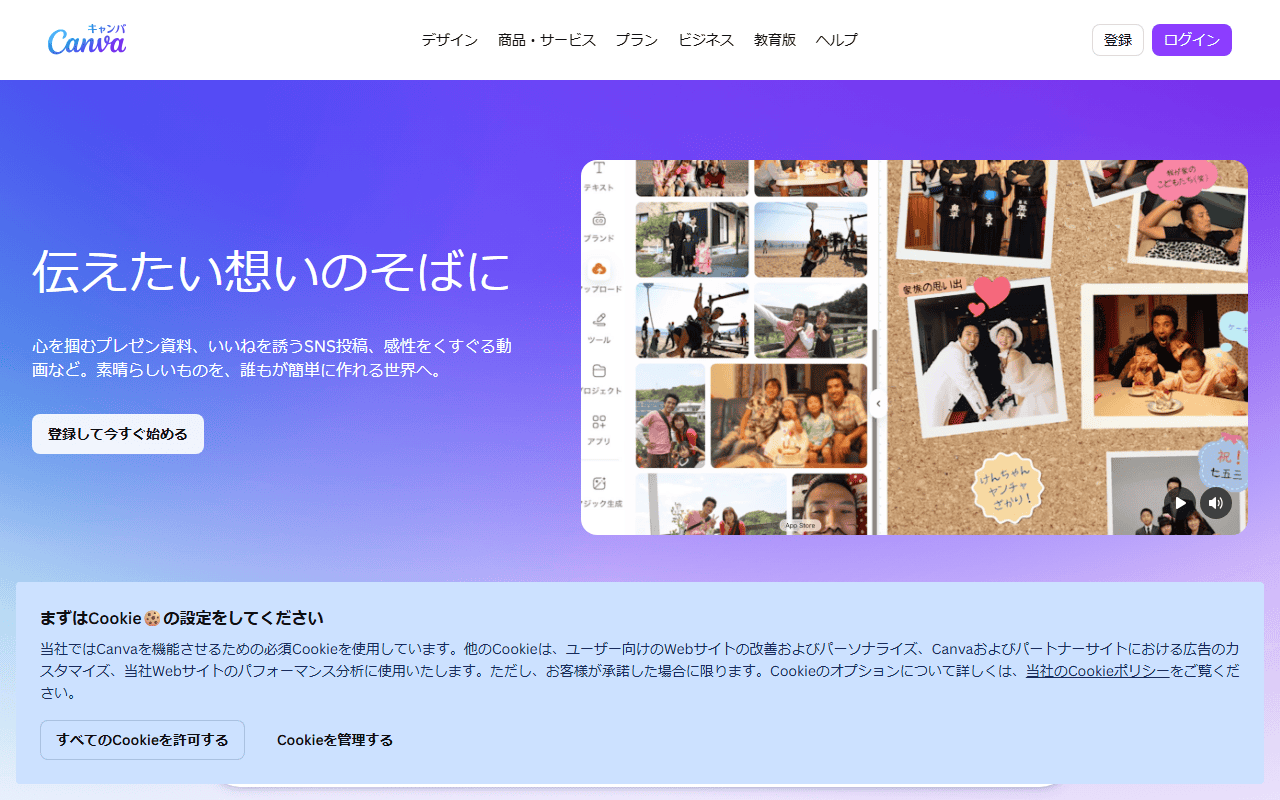
If you’ve read older English blogs claiming “Canva is not available in Japan,” ignore them — that information is out of date. Canva opened a dedicated Japanese site at canva.com/ja_jp back in 2017 and has been aggressively localizing ever since.
As of 2026, Canva in Japan offers:
- A fully free forever plan (no trial expiry)
- Japanese UI, Japanese customer support, and Japanese fonts (Noto Sans JP, M PLUS, etc. — fonts that render kanji and kana correctly)
- Yen-denominated pricing on the Pro plan — no foreign transaction fees
- Local payment methods including credit card, PayPal, and convenience store billing via partners
💡 Pro tip for foreigners in Japan: If the site loads in English, scroll to the footer and switch language to 日本語. Canva will remember your preference and show you templates tailored to Japanese holidays (お正月 / New Year, 桜 / cherry blossom season, 敬老の日 / Respect for the Aged Day, etc.).
What You Get on the Canva Free Plan in Japan
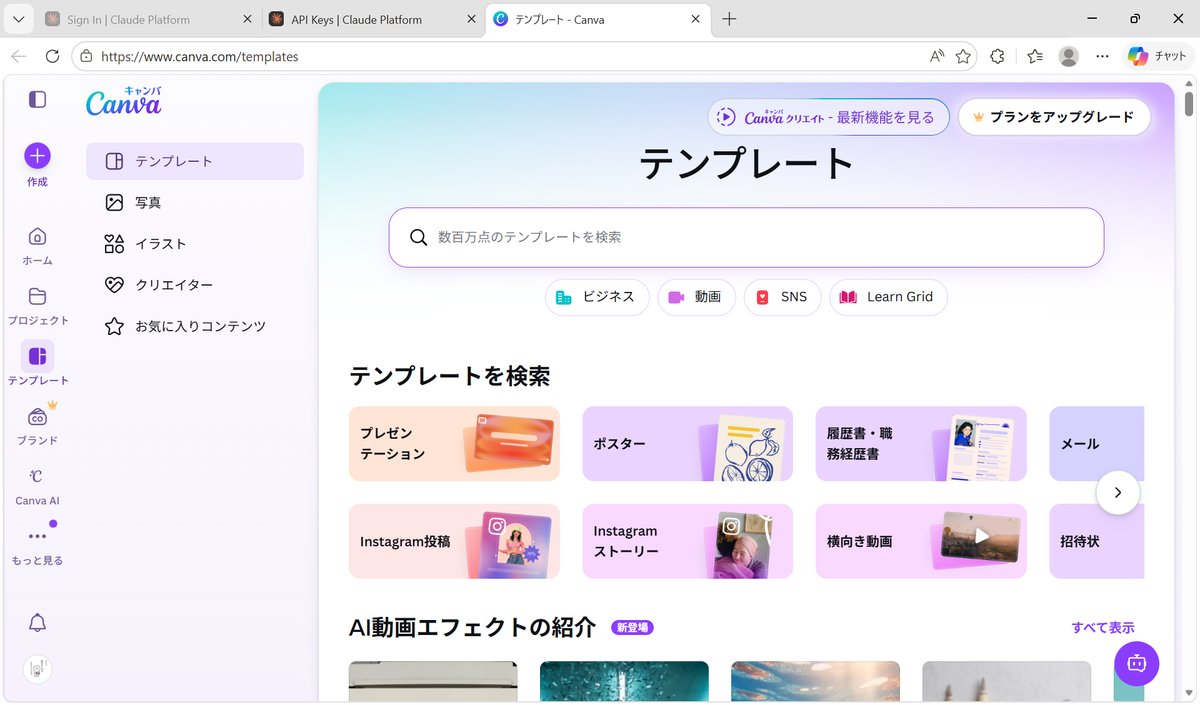
The Free plan is genuinely usable — not a crippled demo. Here’s what you actually get at ¥0:
- 250,000+ free templates (Instagram, YouTube thumbnails, LINE stickers, 名刺 / business cards, 履歴書 / Japanese resume, 年賀状 / New Year postcards)
- 1,000,000+ free photos, illustrations, and graphics
- 5 GB cloud storage for your designs
- Real-time collaboration with up to 3 teammates
- Basic AI tools: Magic Write (limited uses), text-to-image (limited)
- Mobile apps for iOS and Android, available on the Japanese App Store
For most Japanese bloggers, small-business owners, and English teachers making classroom materials, the Free plan is honestly all you need.
What’s NOT Free: Canva Pro Features
⚠️ Honest warning: some of Canva’s flashiest features — the ones you see in YouTube demos — are locked behind Pro.
Pro-only features include:
- Background Remover (one-click, works great on Japanese product photos)
- Magic Studio AI suite: Magic Resize, Magic Edit, Magic Eraser
- Brand Kit (save your logo, brand fonts, brand colors)
- 100 GB storage and unlimited premium assets
- Schedule social posts to Instagram, X, TikTok
- Resize designs across formats (A4 → Instagram in one click)
If you’re producing content weekly for a blog, YouTube channel, or クライアントワーク, Pro pays for itself within a month just from Background Remover alone.
Canva Pricing in Japan (Yen)
| Plan | Monthly (JPY) | Yearly (JPY) | Best For |
|---|---|---|---|
| Free | ¥0 | ¥0 | Casual users, students, hobbyists |
| Canva Pro | ¥1,180 | ¥12,000 (¥1,000/mo) | Solo creators, freelancers, bloggers |
| Canva Teams | ¥1,180/person (min. 3) | ¥15,000/person | Agencies, SMBs, marketing teams |
| Education | ¥0 | ¥0 | Verified teachers & K-12 students |
| Nonprofit | ¥0 | ¥0 | Registered NPO法人 |
Compared to Adobe Express (¥1,180/mo) or Photoshop (¥3,280/mo), Canva Pro is competitively priced — and the annual plan saves you about ¥5,860/year vs paying monthly.
👉 Try Canva Pro free for 30 days in Japan (affiliate link) — cancel anytime from Settings → Subscription (設定 → サブスクリプション).
How to Sign Up for Canva in Japan (Step-by-Step)
- Go to canva.com/ja_jp (or switch language in the footer)
- Click 無料で登録 (Sign up for free)
- Use your Google, Apple, Facebook, or email account — a Japanese phone number is not required
- Choose a use case: 個人用 (personal) / 教員 (teacher) / 学生 (student) / 中小企業 (small/medium business)
- Skip the Pro trial if prompted — you can upgrade later
💡 Pro tip: If you’re a teacher at a Japanese school (including eikaiwa and international schools), apply for Canva for Education with your school email. It’s 100% free forever and unlocks almost all Pro features.
Japan-Specific Perks Most Blogs Miss
Here’s what makes Canva especially useful if you live in Japan:
- 年賀状 (nengajo / New Year card) templates — thousands of ready-made designs every December
- 名刺 (meishi / business card) templates in Japanese B-size (91×55mm, not US business card size)
- 履歴書 (rirekisho / Japanese resume) templates formatted for Japanese job applications
- LINE sticker / LINE open chat cover templates pre-sized correctly
- Japanese font library with Noto Sans JP, Sawarabi Mincho, Kosugi, and 50+ others
- Print-on-demand to Japan addresses via Canva Print (ships from within Asia, usually 3–5 days)
⚠️ Honest warning about Canva Print in Japan: shipping is fast, but customs occasionally delays international orders. For rush jobs, export as PDF and print locally at 7-Eleven (netprint) or Kinko’s.
Can You Pay for Canva Pro Without a Credit Card in Japan?
Yes. Canva Japan accepts:
- Visa / Mastercard / JCB / AMEX (including Japanese-issued cards)
- PayPal (linked to a Japanese bank account)
- Apple Pay / Google Pay via mobile app subscription
- Debit cards from 楽天銀行, SBI, and most neobanks
If you only have a prepaid card / プリペイドカード (like Kyash or Vandle), it works as long as it’s Visa/MC branded and has enough balance.
Canva Free vs. Pro: Which Should You Choose in Japan?
| If you… | Pick |
|---|---|
| Make occasional designs for personal use, school, or LINE | Free |
| Run a blog, YouTube, or Instagram and post weekly | Pro |
| Sell to Japanese clients and need a Brand Kit | Pro or Teams |
| Are a teacher or student with a .ac.jp or .ed.jp email | Education (free) |
Frequently Asked Questions
Is Canva blocked in Japan?
No. Canva is fully accessible from every Japanese ISP (NTT, SoftBank, au, Rakuten Mobile). No VPN needed.
Is Canva in Japanese?
Yes — the entire UI, templates, fonts, and customer support are localized in 日本語.
Does Canva Free expire in Japan?
No. The Free plan is forever free, not a trial. Only Canva Pro has a 30-day free trial.
Can I use Canva designs commercially in Japan?
Yes, with limits. Free and Pro users both get commercial-use licenses for most elements, but you cannot trademark a template design or resell the template itself. Premium (Pro) photos used on Free accounts will have a watermark.
Is there a Canva alternative popular in Japan?
Yes — domestic tools like Adobe Express, Visme, and Japan’s own Pixlr and Picky-Pics exist, but none match Canva’s template library for Japanese holidays and formats.
Can I get a 請求書 (invoice) for Canva Pro for tax purposes?
Yes. Go to 設定 → お支払いと請求 → 請求書を表示. Canva issues invoices compatible with Japan’s インボイス制度 (qualified invoice system).
Final Verdict: Start Free, Upgrade When You Need To
If you’re a content creator, small-business owner, or just someone who needs to make 年賀状 without opening Photoshop, Canva is the easiest design tool available in Japan — and the Free plan is genuinely generous.
My honest recommendation after using Canva daily from Tokyo since 2020:
- Start with the Free plan — it covers 80% of what most people need
- Upgrade to Pro (¥12,000/year) only when Background Remover or Brand Kit becomes a weekly need
- If you’re a teacher or student, apply for Education — it’s Pro features for free
👉 Sign up for Canva Free in Japan (affiliate link) — no credit card required, 日本語 interface, 5 GB storage, 250,000+ templates. Takes 60 seconds.
Related Articles You Might Find Useful
If this guide was helpful, here are a few more from AI From Japan covering related topics:
- AI Tools for Learning Japanese — 7 Apps That Actually Work in 2026
- ChatGPT Images 2.0 Review — Is It Worth It for Japanese Users?
- Gemini vs ChatGPT — Which is Better for Japan?
- ChatGPT Plus Review — Is It Worth $20 a Month in Japan?
About the author
I’m Ryuyan Kimura, a content blogger based in the Kansai region of Japan. I’ve been reviewing AI tools, VPNs, and password managers for English-speaking expats and Japanese learners since AI From Japan launched. I test products hands-on from real Japanese networks in Kansai (NURO Hikari fiber + ahamo / SoftBank mobile) wherever I can; long-term performance claims are backed by independent tests and real user reports.
Want the full story? Read my About page or check our Editorial Standards for how we test products.