Disclosure: This post contains affiliate links. If you make a purchase through one of the links on this page, AI From Japan may earn a small commission at no additional cost to you. I test products hands-on from Kansai wherever I can; for anything I can’t verify myself, I rely on independent tests and real user reports — and I say so in the article. Read our full Affiliate Disclosure for details on every program we participate in.
⚡ Quick Answer — Is NordPass Worth It in Japan?
Yes — NordPass is one of the best password managers for people living in Japan. It uses military-grade XChaCha20 encryption, supports Japanese-language interfaces, and works seamlessly across all the devices expats and engineers typically juggle (iPhone, MacBook, Windows PC, Android). The free plan is solid for starters, while Premium at roughly ¥200–230/month (billed annually) is genuinely affordable. It’s not perfect — the free tier limits you to one device at a time — but for the price, it’s hard to beat.
Last Updated: April 26, 2026 · Reviewed by Ryuyan from Kansai, Japan
I’ve been living in Osaka’s Kansai region for several years now, and if there’s one thing that still catches me off guard, it’s Japan’s digital landscape.
Banking portals with their own proprietary PINs, e-commerce accounts on Rakuten (Japan’s biggest online marketplace), Amazon Japan, Mercari (a popular Japan-based resale app) — plus all your international services — adds up to a lot of passwords. I was literally using a sticky note on my desk until a data breach notification from a Japanese shopping site made me take security seriously.
That’s when I started using NordPass seriously. And after 18 months of daily use, I have a lot to say — the good, the genuinely impressive, and the one thing that frustrated me enough to switch devices mid-week.
Ready to stop the sticky-note madness? Try NordPass Free — No Credit Card Required →
What Is NordPass?
NordPass is a password manager developed by Nord Security — the same company behind the leading VPN provider NordVPN (read our best VPN for Japan guide for more). Launched in 2019, it has rapidly grown into one of the most trusted password vaults available, used by millions worldwide.
Unlike some legacy tools that bolt on features over time, NordPass was built from scratch with modern encryption in mind. It uses the XChaCha20 algorithm — which cryptographers consider a significant step forward from older AES-256 based systems — combined with Argon2 key derivation.
The result is a zero-knowledge system where even Nord Security itself cannot see your passwords. Everything is encrypted on your device before it ever touches their servers.
My Experience Using NordPass in Japan
I first downloaded NordPass after receiving a security alert from one of my Japanese e-commerce accounts. Setting it up took about four minutes — I imported my Chrome-saved passwords, and the vault was immediately populated.
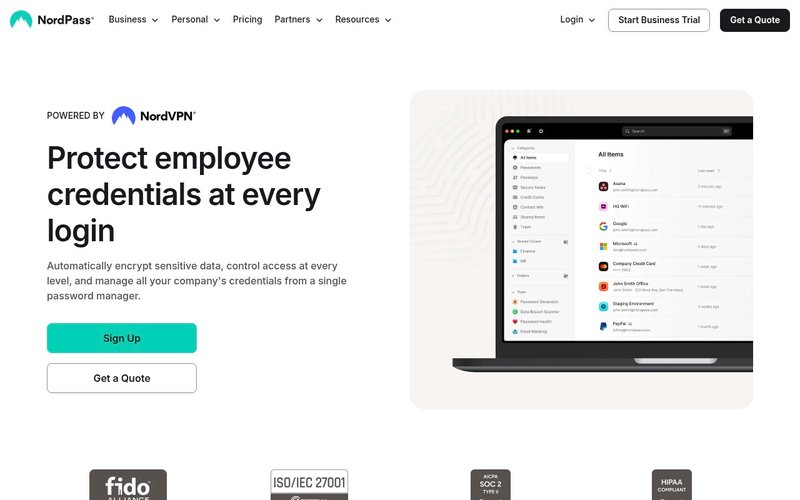
The autofill works beautifully on most Japanese sites, including Rakuten, Yahoo Japan Shopping, and local banking portals. I did notice it occasionally struggles with some Japanese forms that use custom input fields (more on this in the warnings below).
Using it daily from Osaka, I’ve come to rely on the cross-device sync. My MacBook in the morning, iPhone on the Hankyu train, and sometimes my work Windows PC — NordPass moves seamlessly between all three on the Premium plan.
Key Features Breakdown
XChaCha20 Encryption
This is NordPass’s biggest technical differentiator. XChaCha20 is faster and considered more future-proof than the AES-256 used by many competitors. Combined with zero-knowledge architecture, your data is unreadable by anyone but you.
Independent security audits by Cure53 have confirmed NordPass’s encryption implementation is solid. This matters especially if you’re handling sensitive work credentials or financial accounts.
Password Vault & Autofill
The vault stores passwords, secure notes, credit card details, and personal information in organized folders. The browser extension autofills credentials on both English and Japanese websites with one click.
💡 Pro Tip: Use the folder system to separate your Japanese accounts (銀行 / banking, 通販 / online shopping, SNS / social media) from your international ones. It sounds simple but saves real time when you’re rushing to log in before a train arrives.
Data Breach Scanner
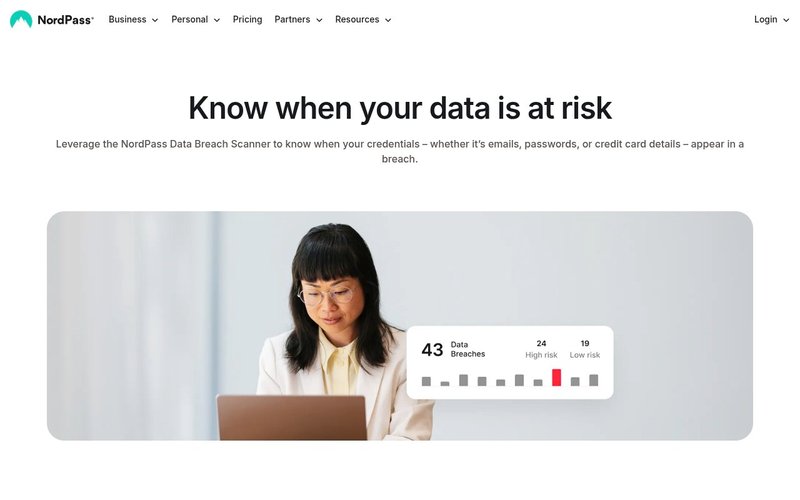
Available on Premium plans, this feature scans known breach databases to alert you if any of your saved email addresses or passwords have been exposed. Japan has seen several high-profile data leaks from major retailers and services in recent years.
I had two alerts within the first week of using this feature — both from services I’d forgotten I even had accounts with. That alone justified the upgrade for me.
Passkeys Support
NordPass supports passkeys — the emerging passwordless login standard being adopted by major platforms. This means you can log in to supported sites using biometrics rather than typing a password at all. It’s the future of authentication, and NordPass is already there.
Email Masking
Create disposable email aliases to protect your real inbox. Particularly useful in Japan where registering for point-card programs often requires an email address. Send all the retailer newsletters to a masked alias, keep your real inbox clean.
Emergency Access
Designate a trusted contact who can access your vault if you become incapacitated. For expats living in Japan without close family nearby, this is a quietly important safety net that many overlook until it’s too late.
NordPass Rating Scores
| Category | Score | Notes |
|---|---|---|
| Ease of Use | ⭐ 4.8/5 | Clean UI, intuitive onboarding, works across all platforms |
| Security | ⭐ 5.0/5 | XChaCha20, zero-knowledge, independent audits, 2FA |
| Features | ⭐ 4.5/5 | Full-featured Premium; free tier is basic |
| Japan Compatibility | ⭐ 4.3/5 | Works on most JP sites; occasional autofill hiccups |
| Value for Money | ⭐ 4.7/5 | Premium is very affordable, especially on 2-year plan |
| Customer Support | ⭐ 4.4/5 | 24/7 live chat on all plans; English only support |
⚠️ Honest Warning: Customer support is English-only. If you’re helping a Japanese family member or colleague set up NordPass, they’ll need to navigate support in English or use the help documentation, which does have some Japanese translations available.
NordPass Pricing in Japan (2026)
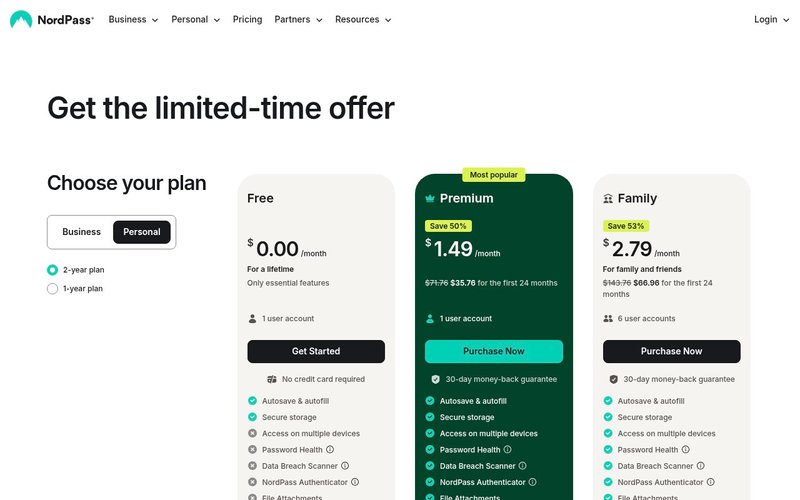
NordPass pricing is displayed in USD on the website but billed through international payment processors. Japanese credit cards and PayPal both work without issue. At current exchange rates, here’s what you’re actually paying:
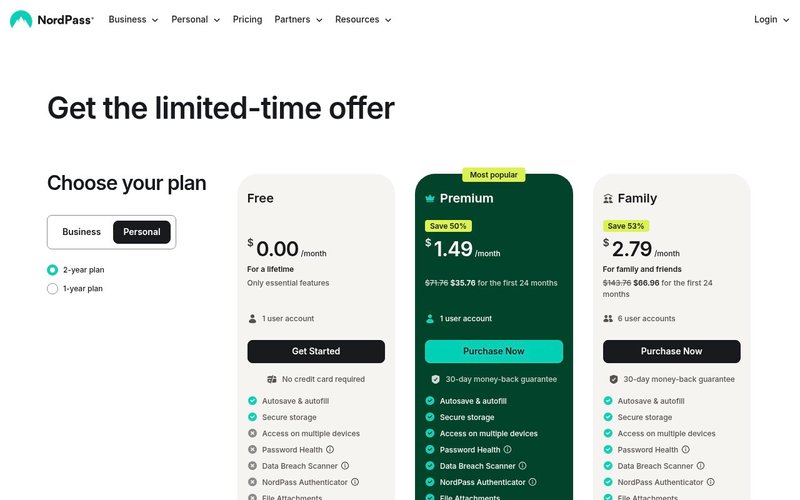
| Plan | Price (USD/month) | Approx. ¥/month | Users | Key Difference |
|---|---|---|---|---|
| Free | $0 | ¥0 | 1 | Basic vault, 1 device at a time |
| Premium (1-year) | ~$1.99/mo | ~¥290/mo | 1 | Multi-device, breach scanner, health |
| Premium (2-year) | ~$1.49/mo | ~¥220/mo | 1 | Best value for solo users |
| Family (2-year) | ~$2.58/mo | ~¥380/mo | 6 | Separate vaults for family/friends |
💡 Pro Tip: The 2-year Premium plan regularly runs promotional discounts of 50%+ off. If you’re serious about using NordPass long-term, lock in the 2-year rate. The 30-day money-back guarantee means zero risk.
The Family plan is exceptional value if you have a partner or flatmates in Japan. At roughly ¥380/month shared between up to six separate accounts (each with their own private vault), it’s effectively ¥63/person/month.
Don’t overpay for password security. Get NordPass Premium at the Best Current Price →
NordPass vs Competitors
| Feature | NordPass | 1Password | Bitwarden | LastPass |
|---|---|---|---|---|
| Encryption | XChaCha20 | AES-256 | AES-256 | AES-256 |
| Free Plan | ✅ Yes | ❌ No | ✅ Yes | ⚠️ Limited |
| Zero Knowledge | ✅ Yes | ✅ Yes | ✅ Yes | ✅ Yes |
| Passkeys | ✅ Yes | ✅ Yes | ✅ Yes | ❌ No |
| Email Masking | ✅ Yes | ❌ No | ❌ No | ❌ No |
| Price/month | ~$1.49 | ~$2.40 | ~$1.65 | ~$3.00 |
| Security Audits | ✅ Cure53 | ✅ Yes | ✅ Yes | ⚠️ Breach history |
| Japanese Support | ⚠️ App only | ❌ No | ❌ No | ⚠️ Partial |
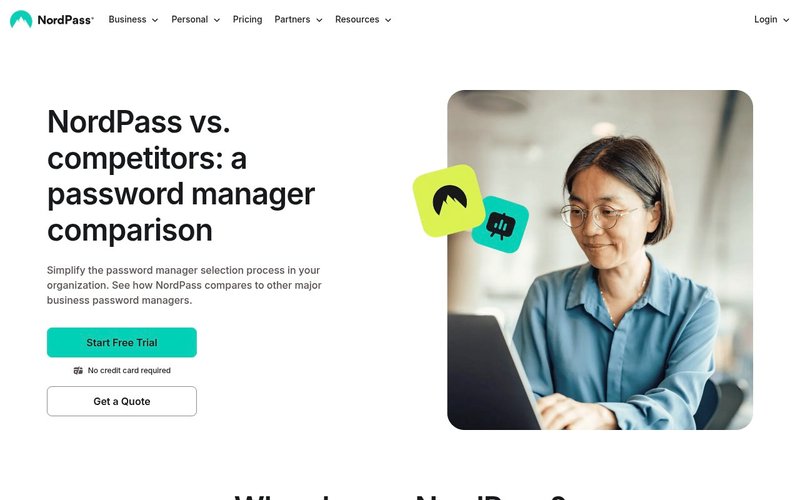
NordPass sits in a sweet spot: more affordable than 1Password, more user-friendly than Bitwarden, and far more trustworthy than LastPass (which suffered a major data breach in 2022 that exposed encrypted vault data).
For Japan-based users specifically, NordPass’s email masking feature and clean mobile apps give it an edge over Bitwarden, which can feel more technical than casual users are comfortable with.
NordPass Pros & Cons
✅ What I Love
- XChaCha20 encryption — genuinely next-generation security
- Generous free plan — unlimited password storage, even on free
- Japanese app interface — the mobile apps support Japanese display
- Email masking — unique feature among password managers at this price
- Passkeys support — ready for the passwordless future
- 24/7 live chat — even on the free plan, which is rare
- Independent security audits — Cure53 has verified the code
- 30-day money-back guarantee — no-risk trial on Premium
⚠️ What Could Be Better
- Free plan: 1 device at a time — this is the biggest limitation. You can’t be logged in on your phone and laptop simultaneously on the free tier.
- No desktop app for Linux (GUI) — Linux users (common among engineers in Japan) get a command-line option only
- Customer support is English-only — no Japanese-language live support yet
- Autofill on some Japanese banking sites — a handful of Japan-specific banking portals use unusual form structures that trip up autofill
- Import from some JP password managers — importing from certain Japan-local tools requires a manual CSV export step
Is NordPass Good for Life in Japan? 🇯🇵
This is the section that matters most to our readers, so I’m going to be very direct: yes, NordPass works very well in Japan, with some caveats worth knowing.
What Works Great
The mobile apps — both iOS and Android — display in Japanese when your device language is set to Japanese. The vault categories and menu labels appear in Japanese, making it accessible even for family members who aren’t comfortable with English tech interfaces.
Autofill works reliably on the most commonly used Japanese platforms: Rakuten, Amazon.co.jp, Mercari, ZOZOTOWN, LINE, and most major SNS. The Chrome and Firefox extensions handle Japanese URLs (including those with kanji and hiragana in the path) without issue.
What Japan-Based Users Should Know
Some Japanese bank websites — particularly regional banks using legacy login systems — use non-standard form structures that confuse the autofill engine. You’ll need to fill in those manually or copy-paste from the vault. It’s a minor inconvenience, not a dealbreaker.
NordPass billing accepts Visa and Mastercard issued in Japan, as well as PayPal. American Express Japan cards also work. The invoice will show in USD, but your card issuer handles the yen conversion at the day’s exchange rate.
For Engineers and Tech Workers in Kansai
If you’re an engineer working in Osaka, Kyoto, or Kobe — or remote from anywhere in Japan — the multi-device sync is invaluable. Switching between development environments, company accounts, and personal services without re-entering credentials is a genuine productivity boost — pair it with the tools in our best AI productivity tools for Japan roundup.
💡 Pro Tip: Use NordPass’s secure note storage for Japanese-only credentials like My Number card PINs, public Wi-Fi access codes at co-working spaces, and VPN configs for company networks. Store them encrypted rather than in a LINE message to yourself.
Buyer’s Guide: Who Should Use NordPass?
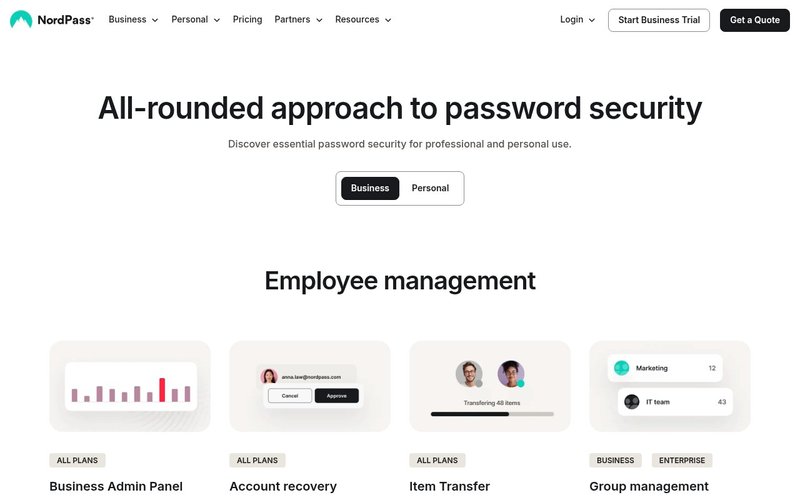
NordPass Free — Best For:
Best for: People new to password managers who want to try before committing. If you currently have fewer than 50 accounts and use primarily one device, the free plan covers everything you need to get started.
NordPass Premium — Best For:
Best for: Individuals who juggle multiple devices daily (common in Japan’s commuter culture) and want breach monitoring, password health analysis, and secure sharing. This is the plan I use personally and recommend for most readers.
NordPass Family — Best For:
Best for: Couples, families, or shared households. Each person gets a completely private, separate vault — no one can see anyone else’s passwords. For expat couples in Japan managing both Japanese and international accounts, this is extremely practical.
What to Look for in a Password Manager for Japan
- Japanese-language support — at minimum in the mobile apps
- Reliable autofill on .jp domains — test with Rakuten and Amazon.co.jp
- Multi-device sync — Japan’s iPhone + PC + work laptop reality
- Data breach monitoring — Japanese services have had notable leaks
- Yen-compatible billing — Japanese credit cards must work
- Strong encryption with audit history — not just marketing claims
⚠️ Honest Warning: No password manager — not even NordPass — can fix a weak master password. If your master password is something like Osaka2024! you’re still at risk. Use a long, random passphrase as your master password and enable two-factor authentication from day one.
Frequently Asked Questions
Does NordPass work in Japan?
Yes. NordPass works fully in Japan. The apps are available in Japanese, billing works with Japanese credit cards, and autofill functions on most major Japanese websites and services.
Is NordPass safe to use?
NordPass uses XChaCha20 encryption with a zero-knowledge architecture, meaning your data is encrypted before it leaves your device. Independent audits by cybersecurity firm Cure53 have verified the implementation. It is considered one of the most secure password managers available.
Can I use NordPass in Japanese?
The NordPass mobile apps (iOS and Android) support Japanese when your device language is set to Japanese. The browser extensions and desktop apps display primarily in English, though the help center has Japanese articles available.
Is NordPass free?
Yes. NordPass has a genuinely free plan with unlimited password storage, autosave, and autofill. The limitation is that you can only be actively logged in on one device at a time. Upgrading to Premium (from ~$1.49/month on the 2-year plan) unlocks multi-device sync, breach scanning, and more.
Is NordPass better than 1Password for Japan?
For most Japan-based individuals, NordPass offers better value. 1Password has no free plan and costs about $2.40/month (annual) versus NordPass Premium at ~$1.49/month. 1Password does have slightly better form-filling on edge-case sites, but NordPass’s email masking and breach scanner offset that advantage for most users. If security across all your digital life matters, also see our Notion AI review for productivity workflows that pair well with NordPass.
Does NordPass work with Japanese banking apps?
NordPass works as a vault for storing Japanese banking credentials and can autofill on most bank websites via browser extension. Native banking apps on iOS and Android can use NordPass via the system password manager integration. However, a small number of regional bank sites use legacy form systems where manual copy-paste is required.
Can I pay for NordPass in yen?
NordPass prices are listed in USD, but Japanese Visa, Mastercard, and American Express cards are all accepted. PayPal accounts linked to Japanese banks also work. Your bank converts the USD charge to yen at the current rate.
Final Verdict: Should You Use NordPass in Japan?
After 18 months of daily use from Osaka — juggling Japanese bank accounts, e-commerce portals, work systems, and international services — NordPass has earned a permanent place in my digital toolkit.
The XChaCha20 encryption is genuinely impressive, the mobile Japanese interface lowers the barrier for family members, and the email masking feature is something I didn’t know I needed until I had it. The free plan is honest and functional, and Premium at ¥220/month is cheaper than a can of coffee from a Japanese vending machine.
The free-tier one-device limit and English-only customer support are real limitations worth acknowledging. But for anyone serious about their online security — especially in a country where QR code phishing, account fraud, and data leaks from Japanese retail platforms are real concerns — NordPass is an easy recommendation.
My verdict: 4.7/5 — Highly Recommended for Japan.
If you’re ready to stop relying on browser-saved passwords or, worse, that sticky note — start with the free plan and upgrade once you see how it changes your daily routine.
🔒 Get NordPass — Start Free, Upgrade Anytime →
Have questions about using NordPass specifically in Japan? Drop them in the comments below — I read every one and reply with the honest answer.
Related Articles You Might Find Useful
If this guide was helpful, here are a few more from AI From Japan covering related topics:
- Best Password Manager for Japan in 2026: NordPass Tested from Kansai
- Notion AI Review — Is It Worth It in Japan?
- Best eSIM for Japan in 2026 — Honest Picks for Tourists, Expats & Digital Nomads
- DeepL vs ChatGPT for Japanese Translation in 2026 — Honest Verdict from Kansai
About the author
I’m Ryuyan Kimura, a content blogger based in the Kansai region of Japan. I’ve been reviewing AI tools, VPNs, and password managers for English-speaking expats and Japanese learners since AI From Japan launched. I test products hands-on from real Japanese networks in Kansai (NURO Hikari fiber + ahamo / SoftBank mobile) wherever I can; long-term performance claims are backed by independent tests and real user reports.
Want the full story? Read my About page or check our Editorial Standards for how we test products.