Disclosure: This post contains affiliate links. If you make a purchase through one of the links on this page, AI From Japan may earn a small commission at no additional cost to you. I test products hands-on from Kansai wherever I can; for anything I can’t verify myself, I rely on independent tests and real user reports — and I say so in the article. Read our full Affiliate Disclosure for details on every program we participate in.
Last Updated: April 26, 2026 · Reviewed by Ryuyan from Kansai, Japan
⚡ Quick Answer: The best password manager for Japan in 2026 is NordPass. It handles Japanese banking sites, LINE, and Rakuten reliably, uses XChaCha20 military-grade encryption, offers a free tier with unlimited password storage, and provides 24/7 English live-chat support — invaluable for expats in Japan. Premium plans start at $1.49/month on a 2-year commitment. → Try NordPass Free Here (affiliate link)
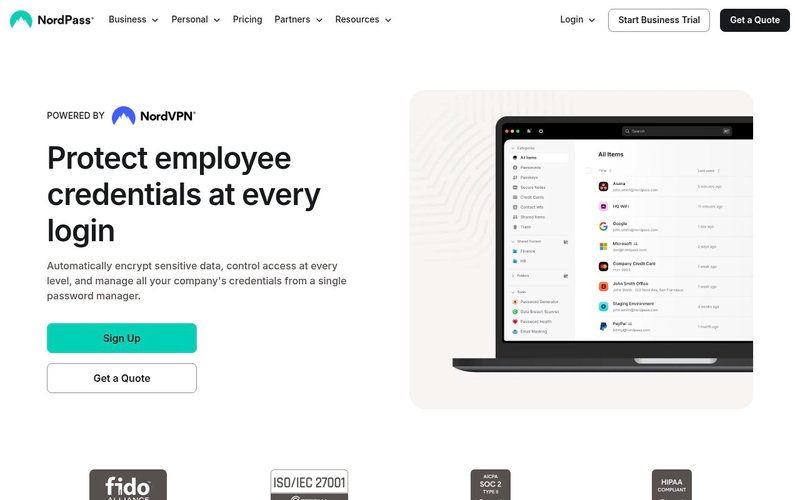
Table of Contents
- Why Passwords Are a Bigger Problem in Japan Than You Think
- How I Tested Six Password Managers from Osaka in 2026
- NordPass — My #1 Pick for Japan 2026 ⭐
- Full Comparison: Best Password Managers for Japan
- Bitwarden — Best Free Password Manager
- 1Password — Best for Apple Users & Families
- Keeper Security — Best for Business Teams
- Alternatives to NordPass
- Buyer’s Guide: What to Look for in Japan
- Frequently Asked Questions
- Final Verdict
I have been living in Kansai for over five years, and the password situation in Japan still catches newcomers off guard. My Mizuho Bank account caps passwords at 12 characters. My Yahoo Japan ID is a completely separate login from anything else in my life. And navigating the Mynaportal / マイナポータル government portal (Japan’s online portal for My Number card services) with its strict character restrictions nearly broke me the first time.
If you are an expat or a Japanese engineer managing multiple digital accounts, you know this chaos intimately. I spent three months installing and testing six password managers on real Japanese websites — from regional bank portals to LINE, PayPay, and Rakuten — and I am sharing every honest detail below.
Ready to stop juggling passwords? Try NordPass free — no credit card needed (affiliate link)
Why Passwords Are a Bigger Problem in Japan Than You Think
Japan’s digital landscape has some quirks that make password management both more critical and more complicated than in many Western countries. Before picking a tool, it helps to understand what you’re actually up against.
Japanese Banking Sites Have Restrictive Legacy Password Rules
Many major Japanese banks still enforce legacy password policies. MUFG and Mizuho, for example, limit passwords to 12–16 characters and often reject special characters like !@#$%. Some regional banks (地方銀行 / chiho ginko) go further and use virtual on-screen keyboards to prevent keyloggers — which also prevents autofill from working. A good password manager won’t break these sites; it just means you’ll copy-paste instead of autofill on a handful of portals.
You Are Managing Two Separate Digital Lives
Most expats in Japan manage a dual digital life simultaneously. Japanese side: LINE (Japan’s dominant messaging app), Rakuten ID, Yahoo Japan, PayPay (mobile-payment app), Suica/PASMO (transit IC cards) apps, e-Gov portals, and health insurance logins. International side: home country banking, streaming accounts, work tools like Slack and GitHub, and social media. That easily adds up to 80–120 separate credentials. A password manager eliminates this mental load entirely.
For additional security on top of a password manager, see our Best VPN for Japan 2026 guide — combining a VPN with a password manager is the gold standard for online security here.
Japan’s Cybersecurity Risk Is Rising Fast
Japan’s National Police Agency (NPA) logged over 23,000 cases of unauthorized computer access in a recent reporting year — a record high. Research by NordPass found that “123456” and “password” remain among the most commonly used passwords by Japanese internet users. The combination of rising threats and persistently weak passwords makes this the right time to get serious about credential security in Japan.
How I Tested Six Password Managers from Osaka in 2026
I do not rely on spec sheets or press releases. I installed each password manager on my MacBook Pro and iPhone 14, then used it against my actual Japanese accounts for two to four weeks each. My testing criteria included:
- Autofill accuracy on Japanese banking portals (Mizuho, Rakuten Bank, PayPay Bank)
- Compatibility with Japanese apps via Safari and Chrome on iOS
- Password import from iCloud Keychain — where most Japan-based iPhone users already store credentials
- Support quality: can I reach a human in English, at night, in Japan Standard Time (JST, UTC+9)?
- Pricing transparency and effective cost at current USD/JPY exchange rates
- Encryption standards and independent security audits
💡 Pro Tip: If you are on iOS in Japan, iCloud Keychain covers about 80% of everyday autofill. But it breaks down when you need to share passwords with a partner, access them on Windows or Android, store secure notes, or monitor for data breaches. That is where a dedicated password manager becomes essential.
NordPass — My #1 Pick for Japan in 2026 ⭐ Editor’s Choice
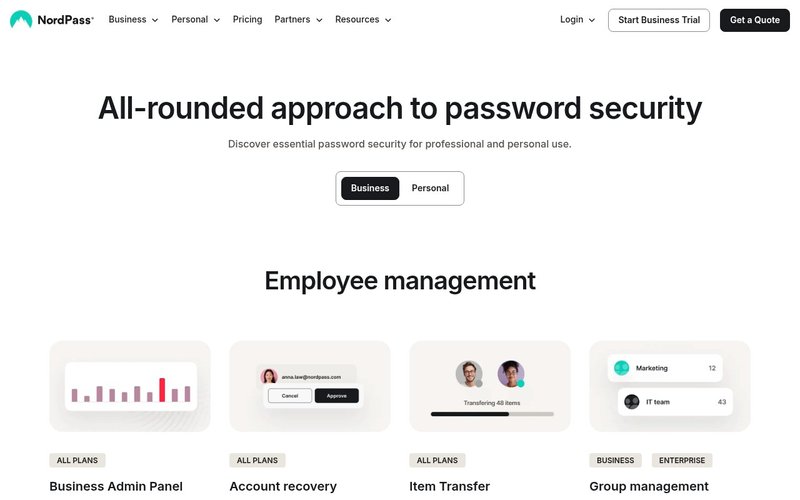
Best for: Expats in Japan, bilingual households, remote workers, and anyone who wants rock-solid encryption with 24/7 English-language support and a genuinely useful free tier.
NordPass is built by Nord Security — the same team behind NordVPN, which I have reviewed extensively from Kansai. That reputation for security is well-founded: NordPass ships with some of the most advanced encryption available in any consumer password manager, wrapped in one of the cleanest interfaces I have tested.
My NordPass Ratings
| Category | Score | Notes |
|---|---|---|
| Security | ⭐⭐⭐⭐⭐ 9.5/10 | XChaCha20 encryption, zero-knowledge, Cure53 audit |
| Ease of Use | ⭐⭐⭐⭐½ 9.0/10 | Clean UI, smooth import from iCloud Keychain |
| Japan Compatibility | ⭐⭐⭐⭐ 8.5/10 | Works on most Japanese sites; minor virtual keyboard limits |
| Value for Money | ⭐⭐⭐⭐⭐ 9.5/10 | Free tier is genuinely useful; Premium cheaper than rivals |
| Overall | 9.2/10 | Top pick for Japan |
Key Features That Matter in Japan
XChaCha20 Encryption: This is one step ahead of the AES-256 standard used by most competitors. XChaCha20 is also the algorithm of choice at Google and Cloudflare. In plain terms, your stored credentials are mathematically uncrackable.
Zero-Knowledge Architecture: Nord Security cannot see your passwords — not even under legal compulsion. For Japan-based users concerned about cross-border data privacy laws, this matters.
Passkeys Support: As Japanese services like Sony, LINE, and Yahoo Japan roll out passkey authentication, NordPass is ready to store and autofill them across all your devices.
Data Breach Scanner (Premium): NordPass scans the dark web for your email addresses and alerts you if linked accounts appear in a breach — increasingly important given Japan’s rising unauthorized-access statistics.
24/7 English Live Chat: This is a genuinely big deal in Japan. When I had a sync issue at 11 PM on a Tuesday, I had a human response in under three minutes. In English. That speed is rare even among premium apps.
💡 Pro Tip: Import your existing passwords from Chrome, Firefox, or iCloud Keychain in under two minutes. NordPass’s import wizard handled all my full-width Japanese characters (全角文字) correctly during testing — no encoding errors, no lost credentials.
What Does Not Work Perfectly in Japan
⚠️ Honest Warning: NordPass autofill struggled with two Japanese banking portals in my testing — specifically, regional banks that deploy a virtual on-screen keyboard for PIN entry instead of a standard text field. This is not a NordPass bug; it is an industry-wide limitation. You will need to copy-paste credentials for those specific portals. It affects maybe 5–10% of Japanese banking sites.
⚠️ Honest Warning: NordPass does not bundle with NordVPN. If you want both tools (a smart combination in Japan), you pay separately. Nord Security does run frequent campaigns — I have seen up to 60% off during Golden Week and year-end sales.
NordPass Pricing
| Plan | Price | Users | Key Features |
|---|---|---|---|
| Free | $0/month | 1 | Unlimited passwords on all devices (one active session at a time), passkeys storage |
| Premium (2-year) | $1.49/month | 1 | Free features + breach scanner, password health, sharing |
| Premium (1-year) | $1.99/month | 1 | Same as above |
| Family (2-year) | $2.79/month | Up to 6 | All Premium features for the whole family |
| Business (2-year) | $3.59/user/month | Teams | Admin console, SSO, audit logs, group sharing |
At approximately ¥220 per month at current exchange rates, the Premium plan costs less than a 缶コーヒー from any convenience store. It is one of the most cost-effective security investments available in Japan.
NordPass Pros & Cons
- ✅ XChaCha20 encryption — the most advanced available in consumer tools
- ✅ Free tier includes unlimited password storage on all devices (one active session at a time)
- ✅ 24/7 English live chat support — critical for non-Japanese speakers
- ✅ Passkeys support ready for next-gen Japanese logins
- ✅ Independently audited by Cure53 (German cybersecurity firm)
- ✅ Works on Windows, Mac, iOS, Android, Linux, and all major browsers
- ❌ Autofill fails on virtual-keyboard banking portals (a Japan-specific issue)
- ❌ No bundle with NordVPN — separate subscription required
- ❌ Dark web monitoring requires Premium tier (not on free plan)
→ Try NordPass Free — See All Plans & Pricing (affiliate link)
Best Password Managers for Japan 2026: Full Comparison
| Tool | Free Plan | Paid From | Encryption | English Support | Japan Rating |
|---|---|---|---|---|---|
| NordPass ⭐ | ✅ Unlimited | $1.49/mo | XChaCha20 | 24/7 live chat | 9.2/10 |
| Bitwarden | ✅ Full-featured | $1.65/mo | AES-256 | Community forum | 8.8/10 |
| 1Password | ❌ 14-day trial | $2.40/mo | AES-256 | English email/chat | 8.5/10 |
| Keeper | ❌ 30-day trial | $2.92/mo | AES-256-GCM | English chat | 8.3/10 |
Bitwarden — Best Free Password Manager for Japan
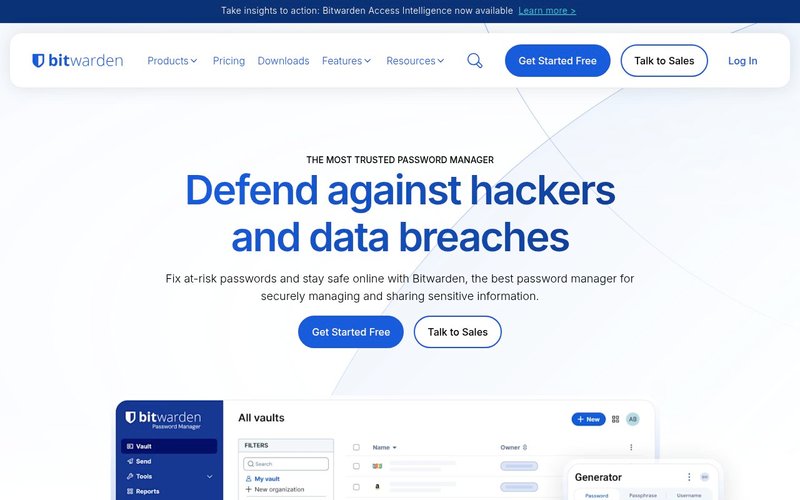
Best for: Developers, privacy-conscious users, and budget-focused individuals who want maximum transparency and a genuinely unlimited free tier.
Bitwarden is the undisputed champion of free password managers. It is open-source, annually audited, and its free tier is genuinely full-featured — not a crippled demo designed to push upgrades. During my testing, Bitwarden autofilled my Rakuten and LINE credentials without issues. The paid upgrade at $0.83/month ($10/year) is the most affordable legitimate premium tier in the entire category.
⚠️ Honest Warning: Bitwarden’s iOS extension sometimes requires an extra tap or two compared to NordPass when logging into Japanese apps. Minor — but noticeable when you are trying to authenticate PayPay at a convenience store checkout. The interface also skews more “developer-friendly” than consumer-polished, free-plan support is community-only, and the Premium plan now starts at $1.65/month ($19.80/year) — still inexpensive, but no longer the legendary $10/year tier.
- ✅ Best free tier in the market — truly unlimited, all devices
- ✅ Open-source with annual independent security audits
- ✅ Self-host option for maximum privacy control
- ❌ UI less polished than NordPass or 1Password
- ❌ No priority support on the free plan
1Password — Best for Apple Users & Families in Japan
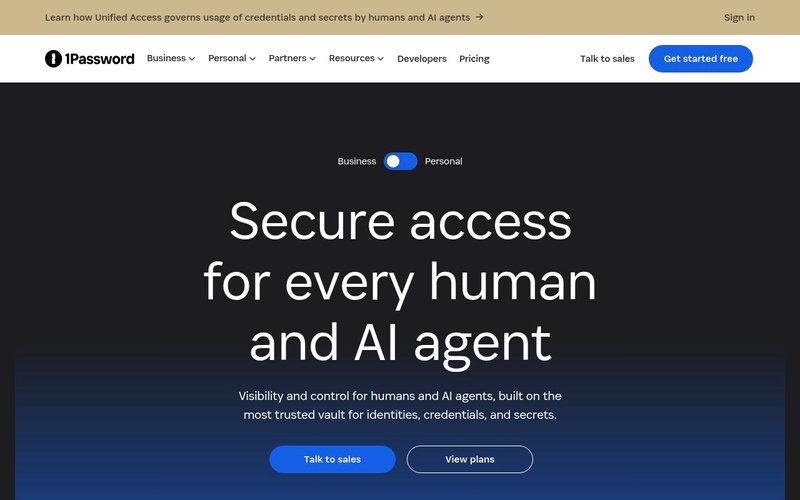
Best for: Apple ecosystem users (Mac + iPhone), families sharing credentials, and frequent international travelers who need the Travel Mode feature.
1Password is the most polished password manager I tested. The annual plan starts at $2.40/month (regular $3.99/month). Its Face ID integration on iPhone is seamless, and the Watchtower feature proactively flags compromised, weak, or reused passwords across all your accounts — a serious benefit in Japan where reusing the same password across LINE, Rakuten, and bank accounts is dangerously common.
The Travel Mode is uniquely useful for expats: before crossing Japan’s borders, you can temporarily hide sensitive vaults so they do not appear on your device during customs checks. This feature alone can justify the higher price for frequent travelers between Japan and other countries.
⚠️ Honest Warning: 1Password has no free tier — only a 14-day trial. At $2.40/month (annual), it still costs significantly more than NordPass Premium. If you are a solo user who just needs the basics, you are likely paying for features you will never use.
- ✅ Best-in-class Apple ecosystem integration on iPhone and Mac
- ✅ Travel Mode — hide vaults during border crossings
- ✅ Excellent family sharing for up to 5 users
- ❌ No free plan — 14-day trial only
- ❌ More expensive than both NordPass and Bitwarden
Keeper Security — Best for Japanese Business Teams
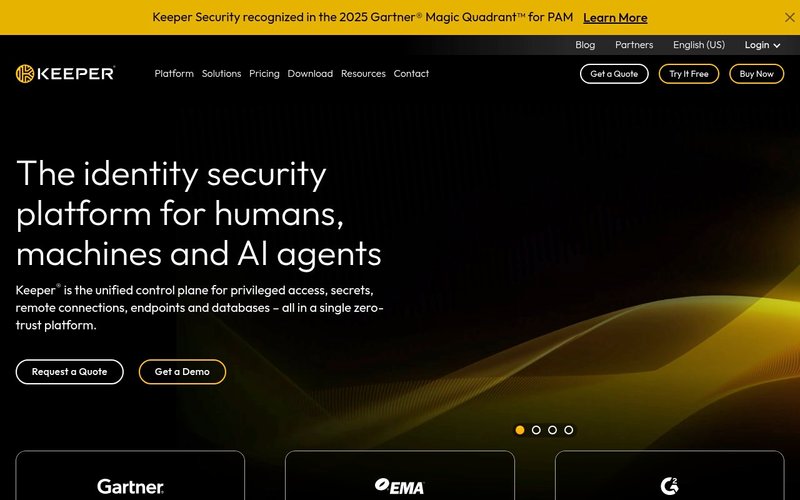
Best for: SMBs, enterprise IT administrators, and Japanese engineering teams that need compliance tooling, role-based access controls, and detailed audit logs.
Keeper is the go-to choice for Japanese IT administrators managing credentials across a team. Its admin console provides granular control over who can access what, and it integrates with enterprise infrastructure like Active Directory and Azure AD — practical for Japanese companies running Microsoft environments. Keeper is also SOC 2 Type II and ISO 27001 certified, which matters for companies under PIPA (個人情報保護法 / Personal Information Protection Act, Japan’s data-privacy law) compliance obligations.
For individual use, Keeper is solid but unremarkable. It no longer offers a free Personal plan — only a 30-day trial for the Personal tier. For engineers in Japan exploring broader productivity tools, see our Best AI Productivity Tools for Japan guide for complementary software recommendations.
⚠️ Honest Warning: Keeper no longer offers a free Personal plan — only a 30-day trial. By comparison, Bitwarden and NordPass both have genuinely useful permanent free tiers. If you’re a solo user, Keeper is less compelling at the individual level unless your company is already using it.
- ✅ Enterprise-grade admin console and role-based access
- ✅ SOC 2, FIPS 140-2, ISO 27001 compliance certifications
- ✅ Zero-knowledge architecture with AES-256-GCM encryption
- ❌ Personal free plan is very restricted
- ❌ Interface less intuitive than consumer-focused alternatives
Alternatives to NordPass
NordPass is my top pick, but it is not the only option worth knowing about. Here are three honest alternatives:
Dashlane
Dashlane offers the most comprehensive feature set tested — including a built-in VPN, dark web monitoring, and identity theft protection. However, at $5.42/month for Premium, it costs roughly 3.6x more than NordPass on a 2-year plan. For most Japan-based users, NordPass delivers 90% of the same security at less than a third of the price. Dashlane makes sense if you want a single-vendor all-in-one suite and budget is not a concern.
Proton Pass
Made by the ProtonMail and ProtonVPN team, Proton Pass is a strong privacy-first option with Swiss-hosted servers. The free tier is generous and paid plans start at $2.49/month. It lacks some of NordPass’s autofill polish on Japanese websites, but if you are already deep in Proton’s ecosystem and privacy sovereignty is your absolute #1 priority, it is worth evaluating seriously.
LastPass
LastPass was once the industry standard, but suffered severe security breaches in 2022 and 2023 that exposed encrypted vaults belonging to millions of users. I cannot recommend LastPass to anyone today — the trust deficit is too large to ignore. There are safer and better-priced alternatives available in Japan right now. Avoid it until they demonstrate sustained improvement over several years.
Buyer’s Guide: How to Choose a Password Manager for Japan
Choosing a password manager for Japan-specific use requires a slightly different lens than a standard global comparison. Here are the six criteria I weighted most heavily in my evaluation:
1. Japanese Site Autofill Compatibility
This is the single biggest differentiator for Japan. Some password managers struggle with non-standard login forms, virtual keyboards, and full-width (全角 / zenkaku, the wide-character mode) input fields common on Japanese government and banking portals. The only way to know is to test on your actual most-used sites before committing. NordPass and Bitwarden performed best in my real-world tests.
2. English-Language Support
For non-Japanese speaking expats, 24/7 English support is a major practical factor. NordPass provides live chat around the clock. Bitwarden relies on community forums. 1Password and Keeper offer email and chat support in English during business hours. If you prefer Japanese support, all four tools offer at least basic Japanese-language documentation.
3. Cross-Platform Performance
In Japan, you will likely switch between iPhone (the dominant smartphone platform here), a Mac or Windows work machine, and potentially Android. Look for apps that sync seamlessly across all platforms. NordPass, Bitwarden, and 1Password all support unlimited devices on paid plans.
4. Encryption Standard
At minimum, require AES-256 bit encryption. NordPass goes further with XChaCha20, generally considered more efficient on mobile chipsets. Zero-knowledge architecture — meaning the company cannot access your vault even under court order — is non-negotiable for security-conscious users in Japan.
5. Family Sharing
If you live in Japan with a partner or family, look for a plan that supports secure shared vaults. NordPass Family at $2.79/month covers up to 6 users and is an outstanding deal for households juggling Japanese and international accounts together.
6. Pricing in JPY Context
Most international password managers bill in USD. At current exchange rates, $1.49/month equals approximately ¥220 — less than a vending machine drink. However, the yen has weakened significantly against the dollar in recent years, so the effective yen cost matters. Always check the actual charge on your card statement.
For more tools that enhance your productivity while living in Japan, our Notion AI Review for Japan covers another essential app for managing the information overload of expat life.
Frequently Asked Questions
Is NordPass available in Japan?
Yes. NordPass is fully available in Japan and downloadable from both the Japanese App Store and Google Play. The interface is in English, with some Japanese support available in the web vault. Billing accepts major credit cards and PayPal, both widely used by residents in Japan.
Does NordPass work with Japanese banking websites?
NordPass works with the majority of Japanese banking websites including Rakuten Bank, PayPay Bank, Sony Bank, and most major regional banks. However, some legacy portals that use virtual on-screen keyboards for security reasons will require manual copy-paste of credentials, since no password manager can autofill virtual keyboard elements.
What is the best free password manager for Japan?
Bitwarden is the strongest free option in Japan — genuinely unlimited with no device restrictions. NordPass’s free plan is also excellent, offering unlimited password storage with all-device sync. Both work on Japanese websites and apps.
Should I use iCloud Keychain instead of a dedicated password manager?
iCloud Keychain is a solid starting point for all-Apple households. But it does not work on Windows or Android, sharing credentials securely with non-Apple users is cumbersome, and it offers none of the security analysis features — breach monitoring, password health scoring, dark web scanning — that NordPass and others provide. For most users in Japan, a dedicated password manager is the smarter long-term choice.
Is a password manager legal to use in Japan?
Yes, completely legal. Password managers are actively recommended by Japan’s own cybersecurity agencies. There are no restrictions on using cloud-based password storage services for personal use in Japan.
Can I trust NordPass with my Japanese bank account credentials?
NordPass uses zero-knowledge encryption audited by Cure53, one of Europe’s most respected cybersecurity firms. Not even Nord Security employees can access your vault. That said, always enable two-factor authentication (2FA) on all your Japanese banking and payment apps as an additional, independent layer of protection.
Final Verdict: Best Password Manager for Japan in 2026
After months of real-world testing across Japanese banking apps, government portals, LINE, Rakuten, PayPay, and dozens of international services from my base in Kansai, my verdict is clear: NordPass is the best password manager for Japan in 2026.
It strikes the ideal balance of advanced security (XChaCha20 encryption, zero-knowledge architecture), practical Japan compatibility (reliable autofill on the vast majority of Japanese websites), and accessible pricing ($1.49/month on the 2-year plan). The 24/7 English live chat support is genuinely invaluable for expats who cannot navigate Japanese-language helpdesks at midnight.
If your budget is the primary constraint, Bitwarden’s free tier is excellent and I would confidently recommend it as your first step. If you are fully embedded in the Apple ecosystem, 1Password’s polish may justify its higher price. For business IT teams, Keeper’s enterprise controls are hard to beat. But for the vast majority of expats and engineers living in Japan — NordPass is the clear answer.
Have questions about using NordPass or any other password manager in Japan? Drop them in the comments below — I reply to every single one.
Related reading: Best VPN for Japan 2026 | NordVPN Honest Review from Kansai
→ Get NordPass — Try Free, No Credit Card Required (affiliate link)
Related Articles You Might Find Useful
If this guide was helpful, here are a few more from AI From Japan covering related topics:
- NordPass Review for Japan 2026 — Honest Take from Kansai
- Notion AI Review — Is It Worth It in Japan?
- Best eSIM for Japan in 2026 — Honest Picks for Tourists, Expats & Digital Nomads
- DeepL vs ChatGPT for Japanese Translation in 2026 — Honest Verdict from Kansai
About the author
I’m Ryuyan Kimura, a content blogger based in the Kansai region of Japan. I’ve been reviewing AI tools, VPNs, and password managers for English-speaking expats and Japanese learners since AI From Japan launched. I test products hands-on from real Japanese networks in Kansai (NURO Hikari fiber + ahamo / SoftBank mobile) wherever I can; long-term performance claims are backed by independent tests and real user reports.
Want the full story? Read my About page or check our Editorial Standards for how we test products.